
Quick Answer
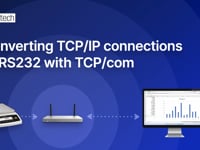
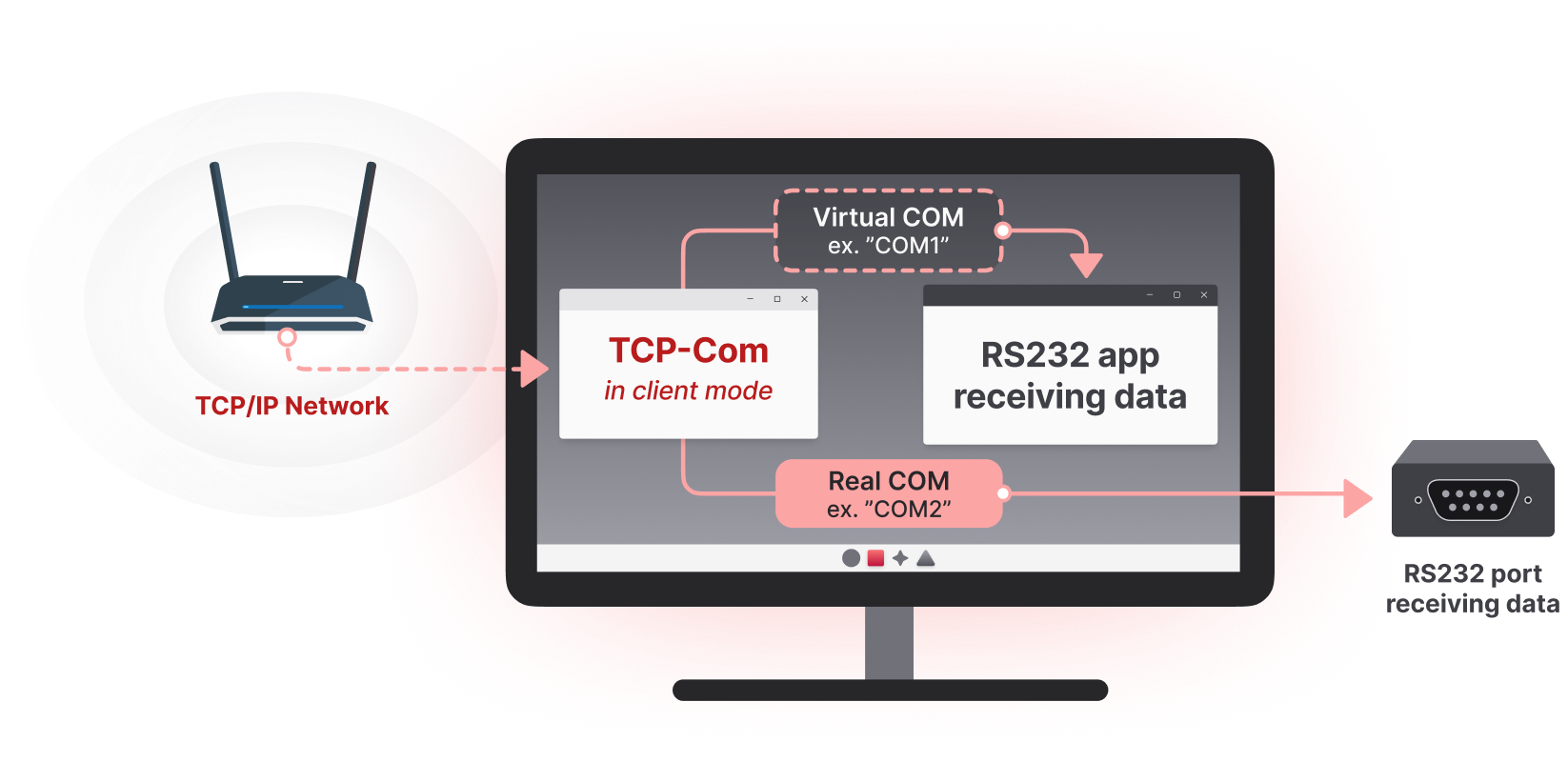
If you have legacy software that only reads from RS232 COM ports but your instruments and devices are now connected to an Ethernet network, TALtech’s TCP-Com solves the problem in minutes. TCP-Com creates virtual COM ports on your PC that look identical to physical RS232 ports to your existing software, then redirects data from the network-connected devices into those virtual ports. Your legacy software keeps working unchanged — it just reads from a virtual COM port instead of a physical one.
The Problem: Old Software Meets New Networked Devices
This is one of the most common situations TALtech customers face: you have a working software application — sometimes 10, 15, or even 20 years old — that was built when every device communicated over RS232 serial ports. The software works perfectly. Operators are trained on it. It is reliable, validated, and integrated into business processes.
Then the devices change. The vendor stops making RS232 versions. New instruments are Ethernet-only. The replacement card readers are PoE-powered network devices. The new scales have IP addresses, not COM ports. Suddenly your legacy software — which only knows how to open and read from a COM port — has no way to talk to the devices it needs to talk to.
Rewriting the software is expensive, risky, and sometimes impossible (the original developer is gone, the source code is lost, or the system is in a regulated environment where revalidation would cost more than the original software did). What you need is a way to make the network-connected devices appear as COM ports to the existing software, without changing the software itself.
That is exactly what TCP-Com does.
How TCP-Com Bridges the Gap
TALtech’s TCP-Com is a Windows software utility that performs two key functions simultaneously:
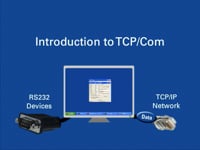
- Creates one or more virtual COM ports on your PC. These appear in Windows Device Manager exactly like physical RS232 ports — COM5, COM6, COM7, and so on. Any Windows software can open and read from them using standard serial port commands.
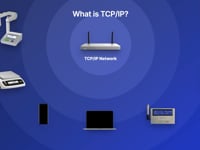
- Redirects network data into those virtual COM ports. TCP-Com connects to your Ethernet devices over TCP/IP, receives their data, and feeds it into the virtual COM ports as if it had arrived over a real serial cable.
The result is that your legacy software opens COM6 (or whatever virtual port number you choose), reads serial data from it, and processes that data exactly as it always has — with no idea that the data actually originated from an Ethernet-connected device across the network.
A Real-World Example: Hotel and Resort Property Systems
One of the most widespread uses of TCP-Com is in resort and hospitality property management systems. Major resort operators (*see some below) and many other hotel groups, rely on TCP-Com to bridge legacy serial software with modern network-connected devices.
The typical scenario looks like this:
- The resort uses property management software (PMS) that was designed years ago to read magnetic stripe and RFID card data from RS232-connected readers at room doors, fitness centers, restaurants, and point-of-sale terminals.
- Over time, the older serial card readers have been replaced with modern Ethernet-connected access devices that transmit card swipe data over the resort’s IP network.
- The PMS still expects to read from COM ports — it has no native networking support.
- Rather than replace the PMS (a multi-million-dollar project), the resort installs TCP-Com on the PMS server.
- TCP-Com creates virtual COM ports that the PMS reads from, and redirects all the card reader data from the Ethernet network into those virtual COM ports.
- Every door swipe, charge purchase, and access event flows from the network reader through TCP-Com into the PMS exactly as if a real RS232 reader had sent it.
*Resorts using TCP-Com in this way include: Riverside Casino and Resort, Jay Peak Resort, Arizona Grand Resort, Ocean Lodge Resort, Oaks on the River Resort, Naples Bay Resort, Stonewell Resort, Marenas Resort, Safety Harbor Resort, Paragon Casino Resort, Arizona Grand Resort, Purgatory Resort, LaPlaya Beach & Golf Resort, Auberge Resorts and many more.
This pattern repeats across dozens of industries: industrial process control, hospital systems, retail POS, manufacturing automation, building security, and laboratory data systems.
Other Common Use Cases
1. Hospital Bedside and Cart-Based Medical Instruments
Hospitals* are among TALtech’s largest users of TCP-Com, and the typical scenario looks like this:
Every vital sign reading, lab result, and bedside measurement flows from the wireless or Ethernet-connected device through TCP-Com into the legacy clinical system exactly as if a directly-connected RS232 instrument had sent it.1. Manufacturing Floor Equipment Upgrades
The hospital uses a clinical data collection system, electronic medical record (EMR), or laboratory information system that was originally built to read patient data from RS232-connected instruments — vital signs monitors, ECG units, blood gas analyzers, glucose meters, point-of-care testing devices, and similar bedside equipment.
New medical instrument carts, wireless vital signs monitors, and modern bedside analyzers are now Wi-Fi or Ethernet-connected, transmitting patient data over the hospital network rather than via RS232 cables. (Also if the hospital has older RS232 output medical carts and instruments TCP-com can convert these to Wi-Fi or Ethernet if they are connected to a PC on which TCP-com is installed. In other word TCP-Com ca act as a PC-Based Serial Device Server or Redirector.)
The clinical data system still expects to read from COM ports — and replacing or rewriting it would require enormous effort, including potential revalidation under FDA software guidance and HIPAA compliance reassessment.
Instead, the hospital installs TCP-Com on the data collection server or workstation.
TCP-Com creates virtual COM ports that the clinical system reads from, and redirects patient data from the network-connected medical instruments into those virtual ports.
*Hospitals using TCP-Com in this way include: Columbia Hospital, Ottawa Hospital, Texas Children’s Hospital, St. Louis Children’s Hospital, Holland Hospital, Children’s Hospital of Orange County, Liberty Hospital, Beaumont Hospital, Ephrata Community Hospital, Skagit Valley Hospital.
2. Pharmaceutical and Medical Device Validation Environments
A validated laboratory system reads data from analytical balances via COM ports. The balances are upgraded to networked models. Revalidating the entire data acquisition software would be enormously expensive and time-consuming. TCP-Com lets the existing validated software continue reading from COM ports (now virtual) without any change to the validated application — dramatically simplifying the validation impact assessment.
3. Building Management and Access Control Systems
A building’s access control system, security cameras, or HVAC controllers were originally connected via RS232. Network upgrades require these devices to communicate over IP. TCP-Com keeps the central control software working unchanged while bridging it to the new network topology.
4. Point-of-Sale Systems
Retail or hospitality POS software was built for RS232 connections to receipt printers, cash drawers, scanners, or scales. As these peripherals are replaced with Ethernet or networked versions, TCP-Com keeps the POS software working without modification.
5. Legacy SCADA and Industrial Control Systems
Older SCADA systems often communicate with field devices via serial protocols. As field equipment migrates to Ethernet, TCP-Com keeps the SCADA software functional while the underlying communication moves to the modern network.
6. Manufacturing Floor Equipment Upgrades
A factory has an MES (Manufacturing Execution System) that reads measurement data from RS232 calipers, gauges, and scales across the production floor. The instruments are gradually replaced with Ethernet-connected versions or the existing RS232 output devices are connected to networks using Serial Device Servers*. TCP-Com lets the MES keep reading from virtual COM ports while the data actually arrives over Ethernet from the new instruments.
*As mentioned above TCP-Com can also act as a PC-Based Serial Device Server or Redirector. Attach the RS232 instruments to a PC and TCP-Com can redirect the data over Ethernet (or Internet) networks.
Why This Approach Beats the Alternatives
When faced with the legacy-software-meets-networked-devices problem, organizations typically consider three options:
- Replace the legacy software. Expensive, risky, often requires retraining staff. In regulated environments may require full revalidation. Total project cost is frequently $50,000–$500,000 or more, and timelines stretch to many months.
- Replace the new networked devices with RS232 versions. Increasingly impossible as manufacturers phase out serial-only models. Even when possible, this means rejecting modern equipment for outdated alternatives. Many quality and process-control devices have existing RS232 output but they they are now usually connected to Ethernet using a Serial Device Server (Note: TCP-Com can also act as a PC-based Serial Device Server!). Ethernet/Wi-Fi is infinitely better than a tangle of RS232 cables!
- Use TCP-Com to bridge the gap. A one-time software license. Installation takes under an hour. The legacy software is unchanged. The new devices are unchanged. Both work together immediately.
For the vast majority of organizations in this situation, TCP-Com is dramatically faster, cheaper, and less risky than the alternatives.
Setting Up TCP-Com for This Use Case
The configuration process is straightforward:
- Install TCP-Com on the Windows PC running the legacy software.
- Note the IP address and TCP port number of your Ethernet-connected device (or serial device server if the device is connected via a network converter).
- In TCP-Com, create a new virtual COM port — for example, COM6.
- Configure the virtual COM port to act as a TCP client and enter the IP address and port of the network device.
- In your legacy software, change the COM port setting to point to the new virtual COM port (COM6 in this example).
- That is it. The legacy software begins reading data from the network device immediately, with no other changes required.
TCP-Com supports many simultaneous virtual COM ports on the same PC, so a single TCP-Com installation can bridge dozens of network devices to legacy software all at once.
Frequently Asked Questions
Q: Do I need to modify my legacy RS232/COM-port software in any way?
No. Your legacy software does not need to be modified, recompiled, or even reconfigured beyond pointing it at the new virtual COM port number. As far as the software can tell, it is reading from a standard RS232 port exactly as before.
Q: Will TCP-Com work with any RS232 software, no matter how old?
Yes. TCP-Com creates standard Windows virtual COM ports that work with any software that uses the standard Windows serial communication APIs. This includes DOS-based software running in Windows compatibility mode, 16-bit Windows applications, and modern 32-bit or 64-bit Windows applications.
Q: Can TCP-Com handle bidirectional communication — where the legacy software sends commands back to the device?
Yes. TCP-Com supports full bidirectional communication. Commands sent by the legacy software to the virtual COM port are transmitted over the network to the Ethernet-connected device, and responses come back through the virtual COM port the same way.
Q: How many virtual COM ports can TCP-Com create on a single PC?
TCP-Com supports many simultaneous virtual COM ports, limited only by Windows itself (typically COM1 through COM 256). This allows a single PC to bridge a large number of network devices (up to 256) to legacy software at once. TCP-Com can also communicate with up to 10,000 IP addresses so you can have 10,000 devices connected to your Ethernet and on to your legacy software using TCP-Com.
Q: Will the legacy software notice any difference in timing or behavior?
TCP-Com is designed to be transparent. Data flows from the network device through TCP-Com to the virtual COM port with no latency. This is indistinguishable from a direct RS232 connection.
Q: Is this approach used in regulated industries?
Yes. TCP-Com is widely used in pharmaceutical, medical device, hospital, hospitality, warehouse and industrial environments where legacy validated software must continue to operate while underlying hardware migrates to networked alternatives. Because the legacy software is unmodified, the validation impact is minimized.
Q: Do I need WinWedge as well as TCP-Com for this use case?
No. For the legacy-software-to-network-device bridging described here, TCP-Com alone is sufficient. However, WinWedge IS needed when you want to collect data from RS232, USB or Ethernet-connected instruments directly into Excel, or other Windows applications or web forms, that do not support direct connections to RS232, USB or Ethernet-connected devices.
TCP-Com and WinWedge solve different problems and can be used independently or together.
Published by TALtech — makers of WinWedge, TCP-Com, and HID-ScaleWedge data collection software. Visit TALtech.com to learn more, download a free trial, or contact free technical support at 800-722-6004.